
Reduce User Support Costs Over Time
We help users make the most of Microsoft 365, Windows devices, Chromebooks, and cloud services while reducing support effort through documentation, training, and AI-powered self-service.
Our goal is to reduce recurring support requests, lower the cost of flat-rate user support over time, and free up resources for security, automation, and Microsoft 365 administration.
Updated on: 2026-11-19
Benefits of Fixed-Price User Support
We offer 24/7 user support (365 days a year) with response times starting at 1 hour, available from a monthly flat rate of EUR 29 per user.
Benefits:
- Predictable monthly costs
- No billing per ticket or call
- Faster response times through familiar environments
- Support for Microsoft 365, Dynamics 365, and Azure
- Reduced downtime for users
- Standardised documentation and procedures
- Better use of Microsoft 365 investments
- Support from Microsoft cloud specialists
Optimizing User Support
Many support requests arise from a lack of standards, insufficient documentation, or a lack of knowledge about Microsoft 365 and modern work methods.Our goal is to reduce recurring support requests in the long term. To achieve this, we standardize devices, document processes, implement self-service resources, and provide targeted training for employees on typical tasks.
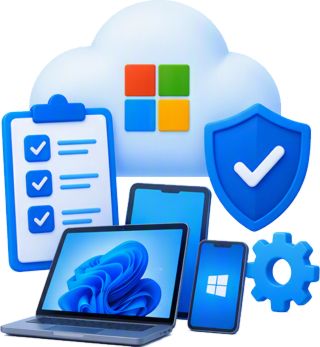
Typical activities:
- Device standardisation
- Microsoft 365 tenant configuration
- Microsoft Entra ID integration
- Intune deployment
- Security baseline configuration
- Data protection and backup planning
- User onboarding processes
- Documentation creation
A well-prepared environment is easier to support, more secure, and less expensive to operate. This creates long-term benefits through lower support costs, improved security and higher employee productivity.
Knowledge Base, User Guides and AI Assistance
Modern support should not require opening a ticket for every question. We provide documentation, step-by-step guides, and AI-assisted knowledge resources that help users solve common issues independently.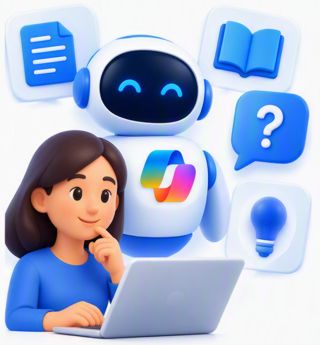
Documentation and user guides are tailored to your business processes and Microsoft 365 environment.
Examples:
- How to reset a password
- Joining Teams meetings
- Setting up a new device
- Sharing files securely
- Using OneDrive
- Using Microsoft 365 Copilot
- Frequently asked questions
The goal is to make answers available immediately, reducing waiting times and support requests. This makes it possible to quickly get the right answer with the help of AI agents. If further assistance is required, a support ticket can be submitted.
User Training and Digital Skills
Many support requests arise because users have not been shown the most efficient way to complete a task. Practical training helps employees become more productive and independent.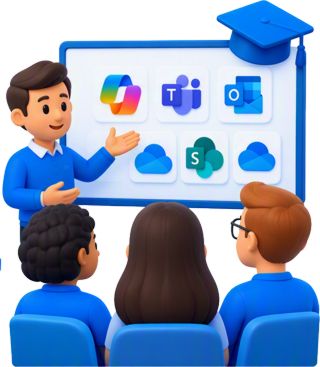
The training topics will be adapted to your specific business needs.
Popular training topics:
- Microsoft Teams
- Outlook and Calendar
- OneDrive
- SharePoint
- Microsoft 365 security basics
- Password and MFA best practices
- Copilot for Microsoft 365
- Secure remote working
- File sharing and collaboration
Training often reduces recurring support requests significantly.
How Modern User Support Works
Our goal is to solve issues quickly while continuously reducing the number of future incidents.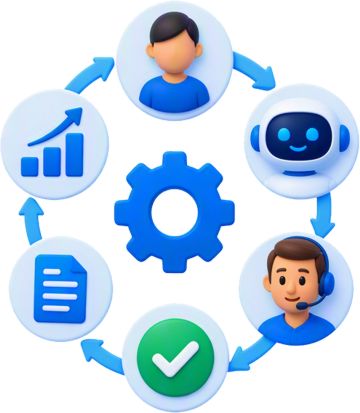
- User Request
A user submits a question or issue - Self-Service Check
Documentation or AI guidance may already provide the answer - Support Review
If required, a support engineer investigates the issue - Resolution
The issue is resolved remotely whenever possible - Documentation Update
The solution is documented for future use - Continuous Improvement
Recurring problems are analysed and permanently reduced
The result is a support model that becomes more efficient over time rather than generating more tickets.
Optimizing Microsoft 365, Azure and AI
Once support processes have been standardized and optimized, organizations can focus more time on security, automation and the continuous improvement of their Microsoft cloud environment.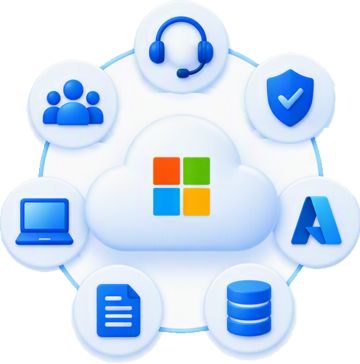
Typical Administration Areas:
- Microsoft 365 Administration
- Microsoft Entra ID and Hybrid Identity
- Endpoint Management with Intune
- Microsoft Defender and Conditional Access
- License Management
- Microsoft Teams Administration
- Backup & Restore
- Azure Administration
- Compliance and Data Protection
- Microsoft Copilot and AI Adoption
- Documentation and Governance
Any Questions?
☏ +49 721 66980 610
Write to us,
you can expect an answer on the same or next working day.
Consulting, Support & Security
✅ M365 & Azure Cloud Migrations
✅ Tenant Security Audits & Reviews
✅ Managed Services & Workplace Hardware
✅ IT Modernization & Flat-Rate Support
Microsoft 365 Licenses
✅ Over 20 Years of IT Experience & Microsoft Partner
✅ License Optimization & Consulting
✅ Fast License Provisioning for Business Customers
✅ Payment by Invoice for Business Customers